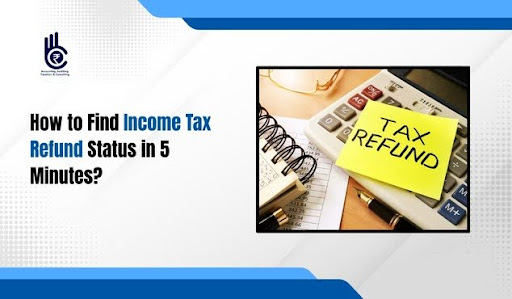
Did you think checking your tax return status takes hours of phone calls? Many people believe tracking tax money involves endless paperwork and long waiting lines. That is wrong. You can actually see where your money is online very quickly. Let us look at the real steps.
An Income Tax Refund does not have to be a mystery. The government website keeps track of your money constantly. You just need to know the right buttons to click. Most citizens get confused by the old system, but the new portal works fast.
What is the Income Tax Refund Process?
The tax department reviews your file after you submit your yearly returns. They calculate the math to see if you paid extra tax. If you paid too much money, you get an Income Tax Refund. The money goes directly to your bank account.
Sometimes the system delays the payment due to small errors. A wrong bank account number can stop the transfer. It is smart to check the portal regularly. Tracking ensures you spot errors early before you lose time.
How to Prepare for Your Search
You need two main things before opening the website. Keep your PAN card close to you. You also need the password for the tax filing portal.
- Keep your registered mobile phone nearby.
- Find your acknowledgement number from the tax return.
- Check your bank account connection status for your Income Tax Refund.
- Ensure your legal name matches your bank documents.
Step-by-Step Guide to Check Your Status
Open the official income tax e-filing website on your computer. Look for the login button in the top right corner. Enter your user ID, which is usually your PAN card number. Type your password carefully to enter the dashboard screen.
| Step Number | Action to Take | Website Section |
| Step 1 | Log in to your profile | e-Filing Portal Home |
| Step 2 | Go to the e-File tab | Main Dashboard Menu |
| Step 3 | Click View Filed Returns | Income Tax Returns |
| Step 4 | Check the latest year | Assessment Year List |
Click on the option that says view filed returns. You will see a list of your past submissions. Look for the current assessment year at the top. Click on the details button next to it. The system shows the exact status of your Income Tax Refund.
Why is My Payment Still Pending?
Sometimes the page shows a message saying tax refund re-issue required. This happens when the bank rejects the automated transfer. You must re-validate your bank account details on the website. Fix this quickly to get your money.
Another reason is a simple mathematical mismatch. The department might disagree with your deduction claims. They send a notice to your account dashboard. You must reply to the notice to clear the path for your money.
Common Status Messages and Meanings
You might see a message that says processed. This means the department has finished checking your file. It means your Income Tax Refund is on the way to your bank. Wait for a few working days for the bank to update.
Important Note: If the status shows “No Demand No Refund,” it means your tax math was perfectly even. You do not owe money, and the government does not owe you anything either.
If you see a rectified status, it means changes have happened. The department adjusted your amount based on older dues. Always read the description box carefully. The text explains the final amount clearly.
How to Speed Up Your Payment
Make sure your bank account pre-validation is active. The website has a special section for bank account management. Choose the account where you want the money. Switch the green button on for refund validation to receive your Income Tax Refund faster.
- Link your Aadhaar card to your PAN card immediately.
- Verify your return within thirty days of filing.
- Check your email spam folder for official tax notices.
- Respond to outstanding tax demands on the portal.
Final Thoughts
Checking your tax status takes very little time. Do not wait for months wondering about your payment. Log in today and see your dashboard details.
Take control of your tax profile right now. The online system is easy for everyone. Follow these steps to secure your hard-earned money.
Follow us on Instagram for more helpful legal tips and updates!
Click here to get the best service for your tax needs or Income tax Return, and track your Income Tax Refund easily.
Frequently Asked Questions
1. How long does it take to get an Income Tax Refund?
Most people receive their money within ten to thirty days after online verification.
2. Can I track my payment without a password?
No, you must log in to the official portal with your secure credentials to see details.
3. What if my bank account changed recently?
You must update and validate your new bank details on the e-filing portal dashboard immediately.
4. Why did I receive a lower amount than expected?
The department might have adjusted your total against outstanding tax dues from previous years.